

At first glance it seems simple: install a terminal and you're done. And it's precisely this "obvious" answer that keeps so many operators overpaying to this day.
Because "just install a terminal" actually hides a pile of nuances that are easy to overlook:
The problem isn't the terminal. The terminal is a good solution. For some of you, it'll be exactly the silver bullet you need. The problem is that it gets picked first — before anyone takes a look at the location and the people standing by the machine.
So let's come at this from the other end. Below we'll walk you through 4 types of cashless solutions and show you photo examples of the locations where each one truly shines. And most importantly: how to figure out which one is right for you.
POS-terminal, WEB-payment, RFID, and QR-voucher — four cashless solutions, each earning its keep in the right setting.
Before we dive into each one in detail, let's first run through the types of locations.
There are 3 types of locations: open, semi-open (or semi-closed, whichever way your philosophy leans), and closed.
Open locations are outdoor spots and venues where customers have free access to enter:
Semi-open locations are places that have both an access-control system for staff and, in most cases, free entry for customers:
Closed locations are places with an access-control system and permanent staff on site. This type includes:
Now that we've got a bit of a foundation, we can move through each cashless solution one by one.
The classic — the one everyone starts with, and for good reason. This payment method is the most familiar and intuitive to work with, both for operators and for customers.
A terminal is the right choice when:
All these criteria fit outdoor locations, gas stations, and retail with coffee points. In that third example — automated business — coffee machines placed away from the checkout become a standalone point of sale thanks to the terminal. The customer selects and pays for their order on their own, without having to wait in the general queue just for a single coffee.
What terminal payment gives you:
And now to the technical side. What do you need to get connected?
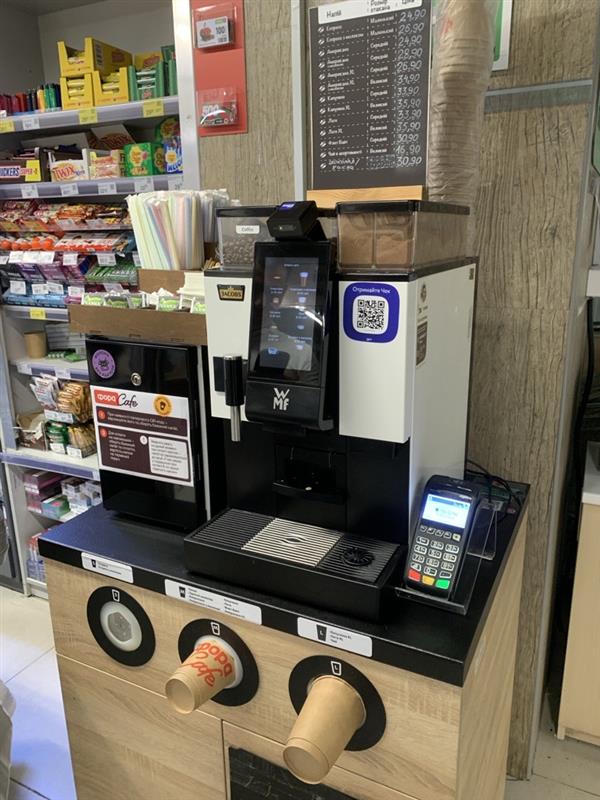
This is an example of a location in one of the supermarkets. Coffee points like these seem to live a "life of their own" — customers can walk up and grab a coffee on their way through the store or on their way out, without going through the checkout at all.
In other cases, it's worth first working out whether a simpler solution — WEB -ayment, for instance — might cover the same need.
This payment method has already caught on among vending operators, thanks to the following advantages:
This solution also comes with a few handy features:
Let's take a closer look at how WEB-payment pairs with each of the three location types.
At open locations (streetside, malls, car washes) with lighter foot traffic, WEB-payment is the perfect fit for buying coffee and snacks when there are no shops around.
As for semi-open locations, these are most often auto service centers, gyms, coworking spaces, residential complexes, and hospitals. Foot traffic in these places is fairly high, but installing a terminal there doesn't pay off for operators, since there's a risk of vandalism or damage. Replacing a terminal is far more expensive than simply reprinting a sticker.
Closed location types: offices, factories, educational and government institutions. Here, this cashless solution — with all its added perks — makes a great addition for employees grabbing a coffee or a snack.
Machines that WEB-payment can be installed on:
Connection details to keep in mind:
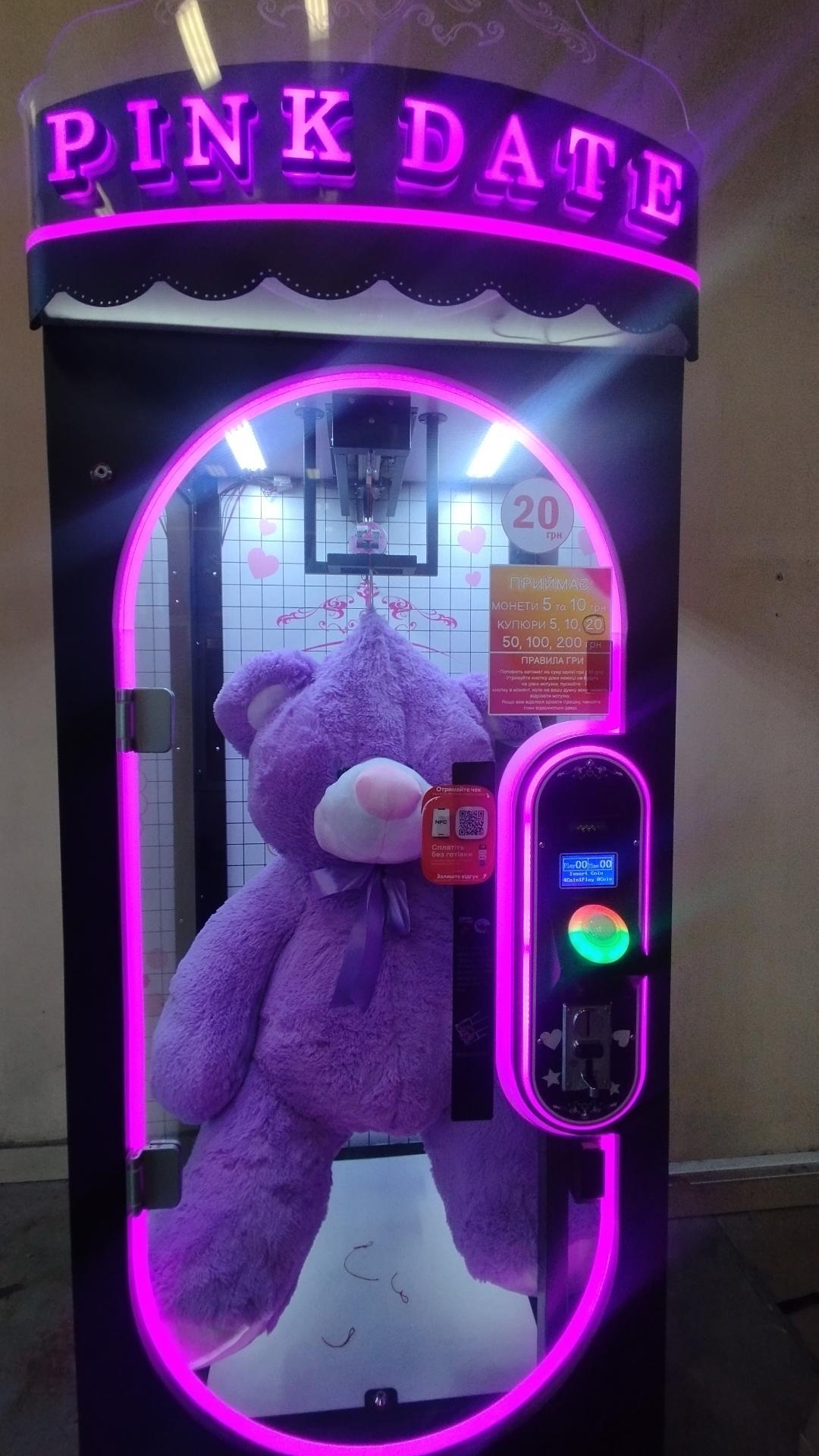
Amusement machines catch customers' attention during a break between errands or shopping. Cashless payment in this segment boosts the number of "tries" at winning a prize.
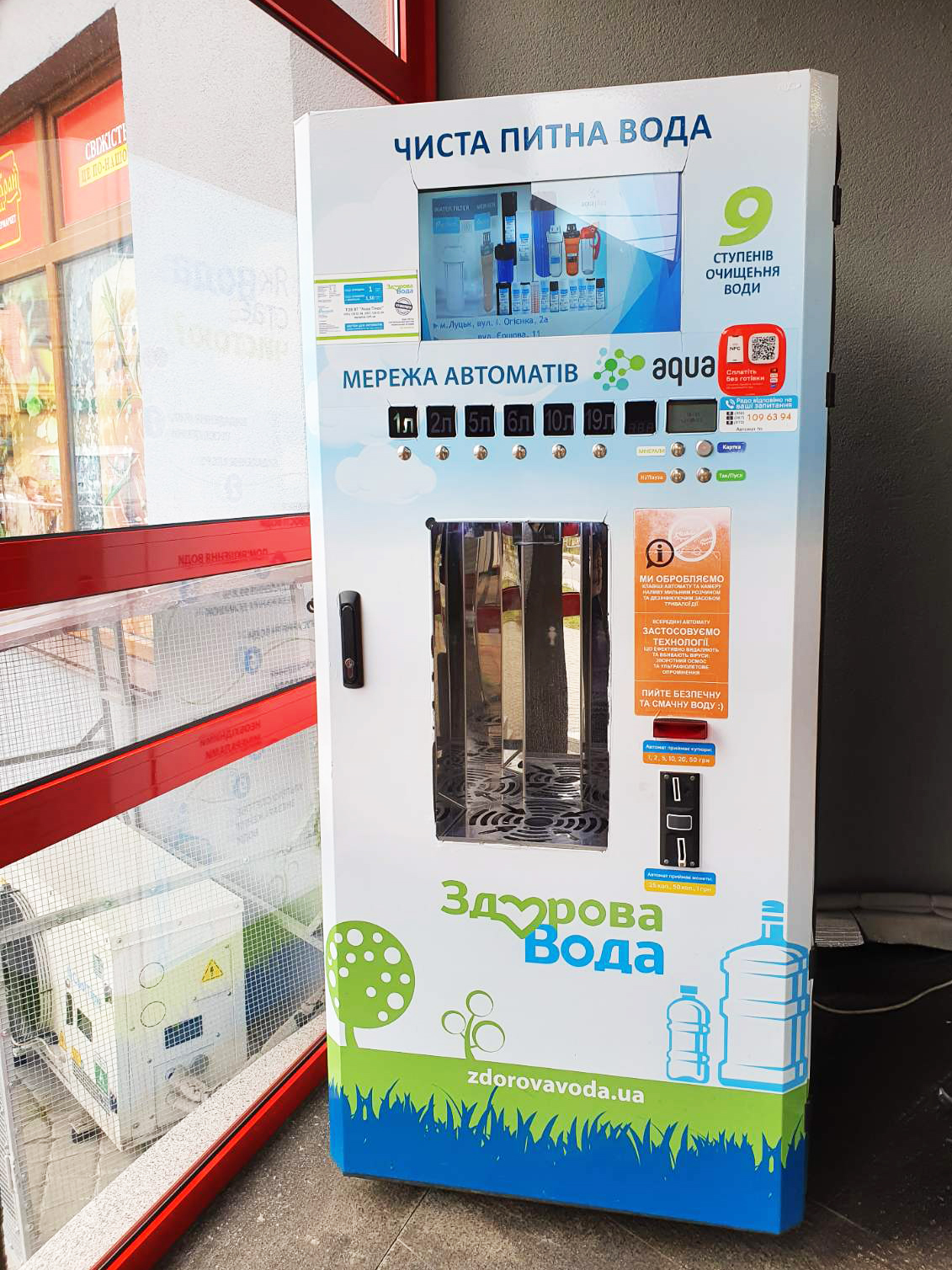
This machine sits right next to a store. People who regularly buy drinking water can go for this format, since there's a wide choice of "volume" options and no line to wait in.
And so that closed locations don't feel left out, there's a solution for them too.
A cashless solution built for locations like offices, factories, hospitals, educational institutions, and other similar places where staff carry access badges.
Advantages of RFID:
This solution is most often installed on snack machines and coffee machines, since these are the go-to options for employees grabbing a bite during a break or lunch.
Connection details to keep in mind:
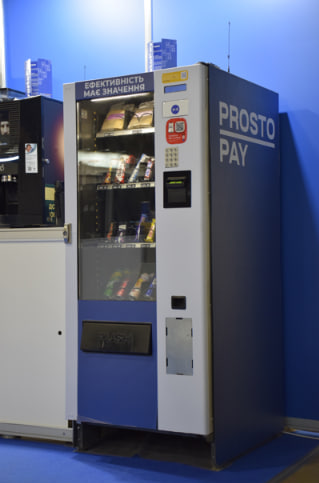
This is a spiral snack machine that served as our helper for demonstrating cashless solutions at Smart Vending Kyiv 2025 (and here's a little secret — there's an identical one standing in the ProstoPay office :))
A solution that complements retail setups with coffee points and is also installed at gas stations.
Payment via QR-voucher offers the following advantages:
This cashless solution is usually installed on coffee machines — see the photo examples for details.
Connection details to keep in mind:
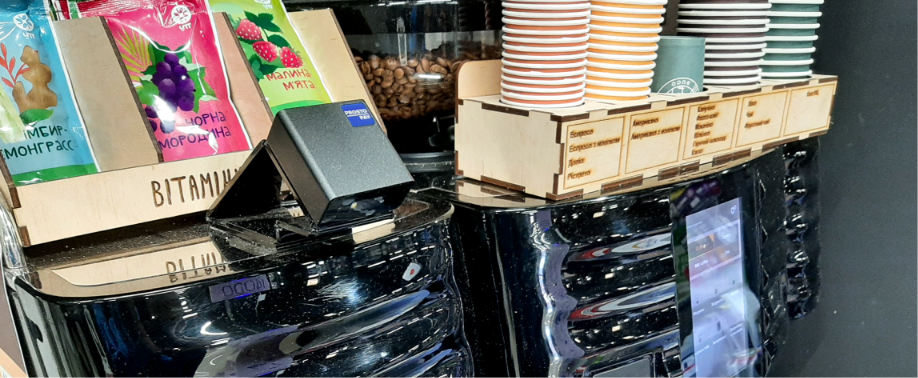
Here's an example of another coffee machine, this one located in Chernivtsi. Customers order the drink they want at the checkout, then head over to the coffee point, scan the QR code, and prepare the drink they picked out earlier.
To help you get your bearings across all the information above, we've put together three infographics — one for each location type — for step-by-step selection of a cashless solution.
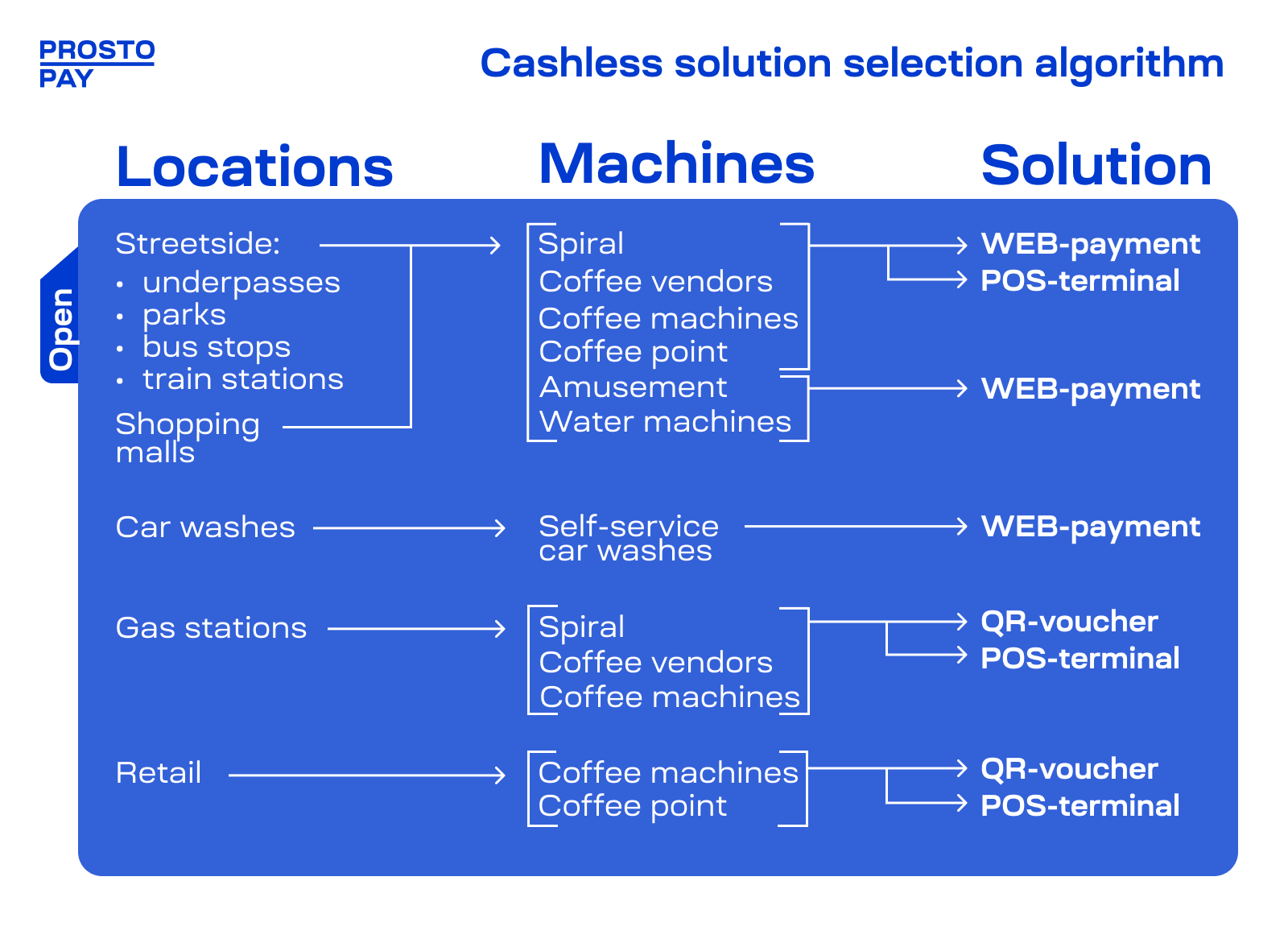
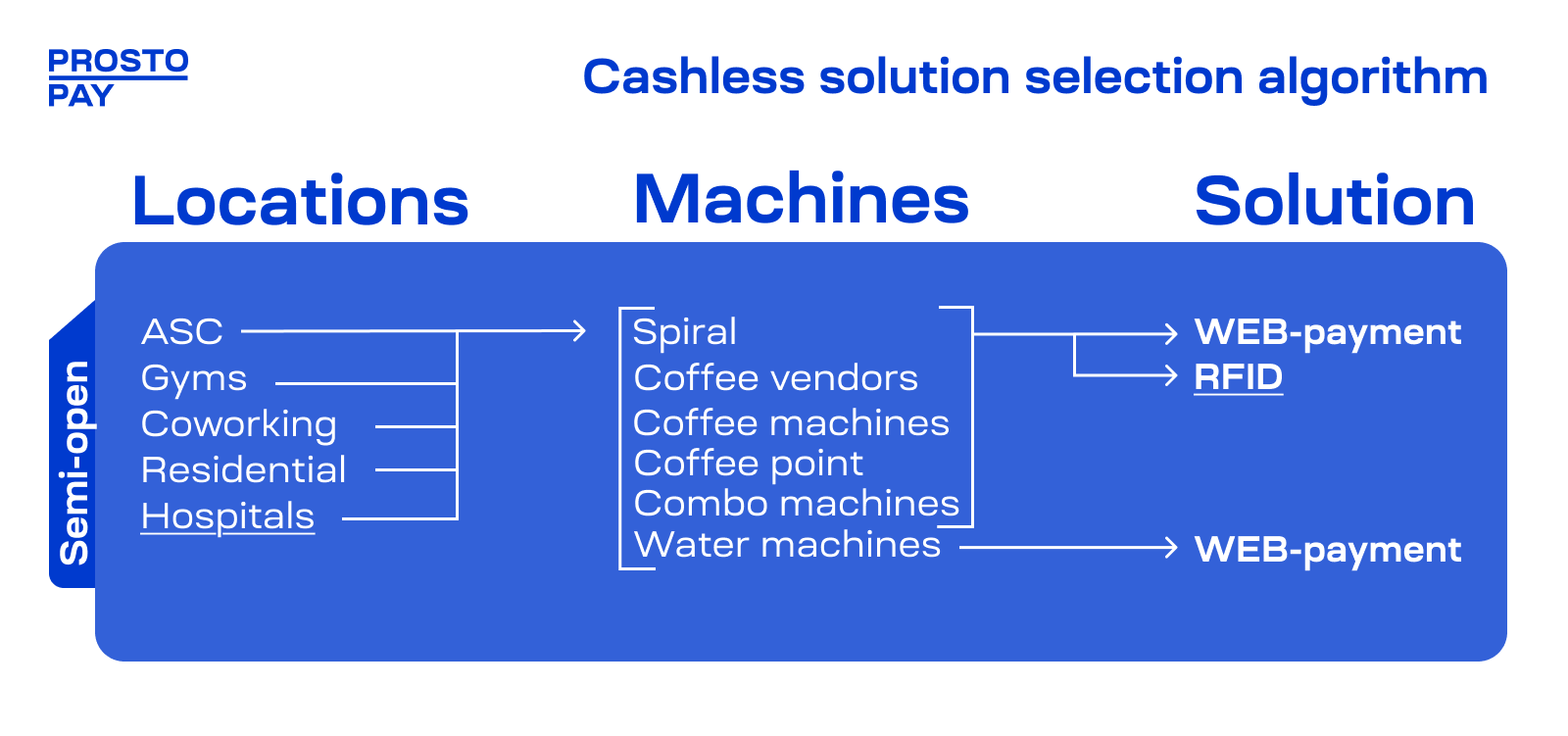
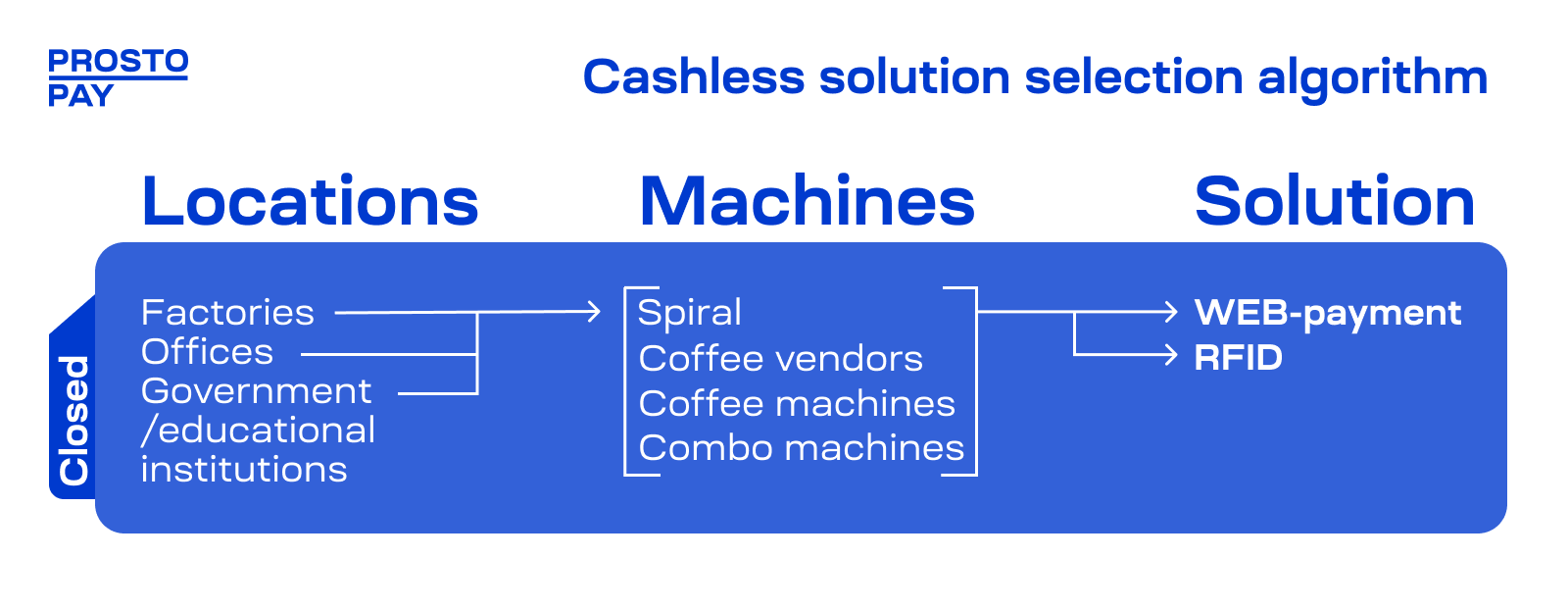
These 5 cases are just examples — not a menu to pick your favorite from. Behind every solution lies the same logic: first we analyze the location, your target audience, and how that person is used to paying — and only then do we choose the solution. A shopper with a card in a supermarket, a passerby with a smartphone, an employee with an access badge — these are different people, and they each need a different kind of cashless.
And if different people happen to be standing by your machine at the same time, solutions can be combined: most machines have two cashless channels, so WEB-payment, for example, works comfortably alongside a POS-terminal or RFID.
Not sure what fits your particular location? Send us the details about it, along with the machine and the people who buy there, and we'll put together a solution that pays off for your specific business.


